
Introduction
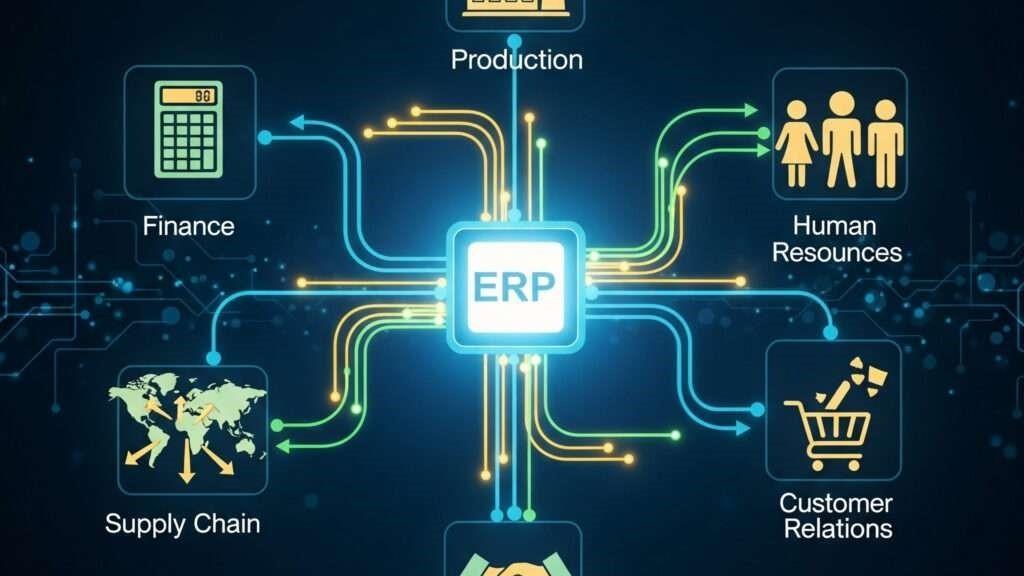
As businesses grow, managing daily operations using standard software can become challenging. Companies often need better control over sales, inventory, accounting, customer relationships, human resources, and other business activities. An ERP (Enterprise Resource Planning) system helps manage these operations through a centralized platform.
Odoo ERP provides a range of integrated business applications that help organizations manage their processes efficiently. However, every business has different workflows, operational requirements, and management goals. Standard ERP features may not always meet every specific requirement.
This is where Odoo customization in ERP becomes valuable. It allows businesses to modify existing features, develop custom modules, and improve workflows according to their operational needs. With the right customization approach, growing businesses can make their ERP system more flexible, efficient, and scalable.
In this blog, let’s explore the top benefits of Odoo customization in ERP and how it supports business growth.
What Is Odoo Customization in ERP?
Odoo customization in ERP is the process of modifying and extending the standard functionality of Odoo ERP to meet specific business requirements.
It helps organizations adapt the ERP system to their existing workflows instead of changing their business processes to fit standard software features.
Odoo customization in ERP may include:
-
Modifying existing Odoo modules and features.
-
Developing custom modules for specific business operations.
-
Creating customized reports and dashboards.
-
Automating repetitive business activities.
-
Integrating Odoo with third-party applications.
-
Customizing user interfaces and approval workflows.
-
Improving data management and reporting processes.
For example, a manufacturing company may need a customized production tracking system, while a retail business may require additional inventory management features. Odoo customization in ERP helps address these different requirements within the ERP platform.
Top Benefits of Odoo Customization for Growing Businesses
1. Matches Your Unique Business Requirements
Every business follows different operational processes. Standard ERP functionality may not fully support the specific requirements of every organization.
Odoo customization in ERP allows businesses to modify existing features and create additional functionalities based on their workflows.
For example, a company can customize its sales process, purchase approvals, inventory operations, or employee management system according to its internal requirements. Odoo customization in ERP
Business benefit: Your ERP system supports your actual business processes and helps reduce the need for manual workarounds.
2. Improves Business Process Automation
As businesses expand, repetitive tasks can consume valuable employee time. Manual activities such as data entry, invoice generation, order processing, and approval management may also increase the possibility of errors.
With Odoo customization, businesses can automate specific activities and create workflows that connect different departments.
Examples include:
-
Automatic invoice generation after sales confirmation.
-
Customized approval notifications.
-
Automated follow-ups for pending activities.
-
Purchase order approval workflows.
-
Automatic updates to inventory records.
Business benefit: Automation reduces repetitive work, improves process consistency, and allows employees to focus on more important business activities.
3. Enhances Operational Efficiency
Managing multiple departments through separate applications can create communication gaps and data duplication.
Odoo provides integrated applications for different business functions. Customization can further improve how these applications work together based on an organization’s requirements. Odoo customization in ERP
For example, customizing the sales and inventory workflows can help employees track product availability and manage order processing more effectively.
Business benefit: Better coordination between departments helps streamline operations and improve overall productivity.
4. Provides Better Reporting and Business Insights
Business owners and managers need accurate information to make informed decisions. Standard reports may not always provide the specific data required for business analysis.
Odoo customization in ERP allows organizations to create reports and dashboards based on their key performance indicators (KPIs).
Customized reporting can include:
-
Sales performance reports.
-
Inventory movement reports.
-
Employee productivity reports.
-
Financial summaries.
-
Customer activity reports.
-
Purchase and supplier performance reports.
Business benefit: Customized reports make important business information easier to access and support better decision-making.
5. Supports Business Growth and Scalability
A growing business may experience changes in its workforce, customers, products, locations, and operational requirements.
An ERP system should be flexible enough to support these changes. Odoo customization helps businesses extend their existing ERP functionality as their requirements evolve.
For example, a company can introduce additional approval levels, new business workflows, custom modules, or integrations as it expands.
Business benefit: Businesses can adapt their ERP system to changing requirements without necessarily replacing their existing platform.
6. Improves Customer Relationship Management
Customer satisfaction plays an important role in business growth. Managing customer information, sales activities, communication, and follow-ups effectively can help businesses build stronger relationships.
Odoo customization can enhance CRM functionality according to specific sales and customer service requirements.
Businesses can customize:
-
Lead management workflows.
-
Customer follow-up reminders.
-
Sales pipeline stages.
-
Customer communication tracking.
-
Service request management.
-
Customer-specific reports.
Business benefit: A customized CRM workflow helps sales and support teams manage customer interactions more effectively.
7. Enables Third-Party Application Integration
Many businesses use external applications for payment processing, e-commerce, communication, logistics, and other activities.
When these applications operate separately, employees may need to enter the same information into multiple systems.
Odoo customization and integration services can connect the ERP platform with suitable third-party applications through available APIs and integration methods.
Examples include: Odoo customization in ERP
-
Payment gateway integration.
-
E-commerce platform integration.
-
Shipping and logistics integration.
-
External accounting or business applications.
-
Communication and notification tools.
Business benefit: Integration helps improve data exchange, reduce duplicate entry, and create more connected business operations.
8. Enhances User Experience
An ERP system should be easy for employees to use. Complicated screens, unnecessary fields, and complex workflows can make daily operations difficult.
Odoo customization allows businesses to improve the user interface according to employee roles and responsibilities. Odoo customization in ERP
For example, organizations can simplify forms, display relevant information, customize menus, and provide role-based access to specific features.
Business benefit: A more suitable user experience can help employees work efficiently and adapt to the ERP system more easily.
9. Reduces Manual Errors and Improves Data Accuracy
Manual data entry and disconnected applications can lead to duplicate records, incorrect information, and reporting inconsistencies.
Odoo customization can introduce validation rules, automated calculations, and workflow controls to improve data management.
For example, businesses can configure mandatory fields, approval conditions, and automated data updates based on their requirements.
Business benefit: Better data management helps maintain more consistent business records and reduces avoidable manual errors.
10. Helps Optimize Long-Term ERP Usage
As business requirements change, organizations may need additional features or improvements to their existing ERP system.
Odoo customization in ERP allows businesses to extend their current system instead of relying entirely on separate applications for every new requirement.
However, customization should be planned carefully. Unnecessary modifications can increase maintenance complexity and make future Odoo upgrades more challenging. Odoo customization in ERP
Business benefit: A well-planned customization strategy helps businesses get more value from their ERP investment while keeping future maintenance in mind.
Odoo Customization Examples Across Different Industries
Different industries have different operational requirements. Odoo customization can help adapt ERP functionality to these specific needs.
| Industry | Possible Odoo customization |
|---|---|
| Manufacturing | Production planning, quality checks, and customized work orders |
| Retail | Inventory tracking, point of sale, and sales reports |
| Real Estate | Property management, lead tracking, and commission workflows |
| Healthcare | Appointment workflows, billing, and administrative processes |
| Education | Student management, fee tracking, and academic workflows |
| Distribution | Warehouse operations, delivery tracking, and purchase management |
These are examples of possible customization requirements. The actual solution depends on each organization’s workflows and technical requirements.
Odoo Customization vs. Standard Odoo
Businesses should understand the difference between using standard Odoo functionality and implementing customized features.
| Standard Odoo | Customized Odoo |
|---|---|
| Uses built-in features and workflows | Adapts features to specific business requirements |
| Follows standard operational processes | Supports customized operational processes |
| Uses available standard reports | Can include customized reports and dashboards |
| Provides existing application functionality | Can extend functionality through custom modules |
| May require businesses to adjust certain workflows | Can be adapted to selected business workflows |
Which option is better?
Standard Odoo is a suitable starting point for businesses whose requirements match its existing functionality. Customization is useful when specific operational needs cannot be addressed effectively through standard features.
A balanced approach is generally recommended: use standard Odoo functionality wherever possible and customize only when there is a clear business requirement.
Best Practices for Successful Odoo Customization in ERP
To get the most value from Odoo customization, businesses should follow a structured approach.
-
Understand business requirements: Identify operational challenges and define the features required before starting customization.
-
Evaluate standard Odoo features: Check whether existing functionality can meet the requirements before developing custom modules.
-
Plan customization carefully: Prioritize important features and avoid unnecessary modifications.
-
Choose experienced Odoo developers: Work with professionals who understand Odoo development, implementation, and integration.
-
Test customized features: Perform functional and user acceptance testing before deploying changes.
-
Consider future upgrades: Develop custom modules using appropriate practices to simplify future maintenance and version migration.
-
Provide employee training: Help employees understand the customized workflows and use the system effectively.
Following these practices can help businesses maintain a reliable, flexible, and manageable ERP environment.
Why Choose FadelSoft for Odoo Customization Services?
Choosing the right technology partner is important for successful ERP customization. Businesses need a team that understands their operational requirements and can translate them into suitable technical solutions. Odoo customization in ERP
FadelSoft provides Odoo-related services to help businesses implement, customize, integrate, and manage their ERP systems.
Our Odoo services include:
-
Odoo consultation and implementation.
-
Odoo customization and module development.
-
Odoo third-party application integration.
-
Odoo data migration and version upgrades.
-
Odoo technical support and maintenance.
We focus on understanding business workflows and identifying suitable Odoo solutions based on organizational requirements.
Whether you need to customize existing modules, develop additional functionality, or improve your current ERP workflows, FadelSoft can help you plan your Odoo customization requirements. Odoo customization in ERP
Conclusion
Odoo customization helps growing businesses adapt their ERP systems to changing operational requirements. From improving business process automation and reporting to supporting integrations and scalability, customized functionality can make ERP systems more aligned with organizational goals.
However, successful customization requires proper planning, technical expertise, and a clear understanding of business needs. Businesses should prioritize essential modifications and use standard Odoo features wherever possible to maintain a manageable ERP environment.
If your current ERP system does not fully support your business workflows, exploring Odoo customization can be a valuable step toward improving operational efficiency.
Looking to customize your Odoo ERP system?
Connect with FadelSoft to discuss your business requirements and explore suitable Odoo customization solutions.
Visit: https://fadelsoft.com/